Overview
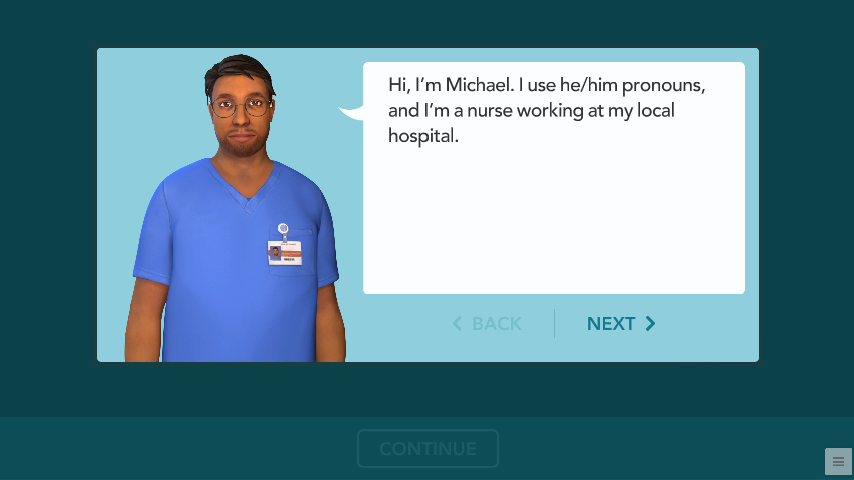
Ascend Learning is an education technology company that develops digital learning tools and resources for students and professionals. One of its products, Engage, uses interactive learning simulations to help nursing students understand medical concepts and apply their knowledge through guided lessons and activities.
Structure and Function of the Endocrine System is one of these simulations within the Engage Pathophysiology collection, which focuses on how the body functions and how diseases affect its systems. This particular simulation teaches how hormones regulate bodily functions through illustrated explanations, animated sequences, and interactive knowledge checks.
As a Technical Artist and Motion Designer, I created illustrations, developed animations, and implemented interactive content in Unity. I collaborated with writers, Learning Design, and QA throughout the development process, from reviewing scripts to testing, revisions, and release.
Product
Structure and Function of the Endocrine System
Focus
Visual Design / Motion Design / Interaction Design / Unity Implementation
Role
Technical Artist & Motion Designer
Tools
Adobe Illustrator / Adobe Photoshop / Unity / VS Code (JSON) / Jira
Challenge
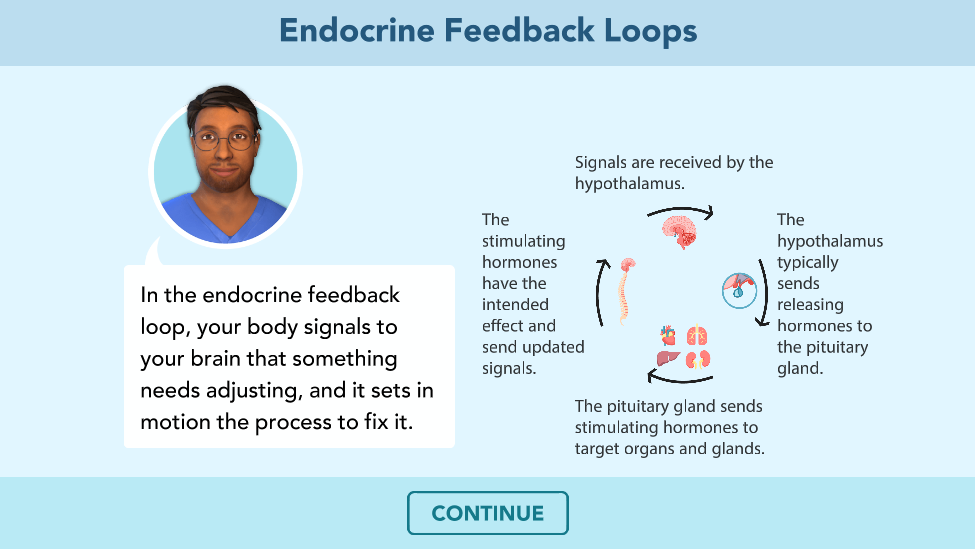
One of the main challenges was translating complex medical information into clear, engaging visuals that learners could follow without becoming overwhelmed. The simulation covers multiple processes within the endocrine system, each requiring different illustrations, animations, and interactive activities. My responsibility was to determine how to visually communicate these concepts while maintaining consistency with the established Engage design guidelines. For motion graphic screens containing multiple stages of information, I needed to consider visual hierarchy, pacing, and how much content appeared on screen at once.
- Screen types and layouts were established by the script and Engage style guides.
Constraint
- How to illustrate the process, sequence the reveals, and transition between states.
My design decisions
- Keep each step legible while preserving the learner’s understanding of the full loop.
Design goal
1. Translating Scripts into Visual Experiences
I start by reviewing the script to identify the required motion-graphics (MGFX) screens, interactive activities, narration, and learning objectives. The script establishes the type of screen needed, while the Engage style guides define a consistent layout across the larger simulation collection. When something is unclear, I collaborate with the writer or Learning Design team before beginning production. I also review any supplied illustration references, then determine how to create the visuals and transitions within the existing design language.

2. Visual Design & Asset Creation
Working within the established Engage design system, I create and adapt illustrations in Adobe Illustrator. The screen structure is already defined, but I make decisions about how the medical information is represented visually, how illustrations are broken into elements, and what will appear during each part of the sequence. I prepare the artwork for Unity, export individual assets, and organize them in the project. Where appropriate, I adapt reusable Unity prefabs and assets to keep the production workflow consistent.
3. Designing Motion to Guide Learning
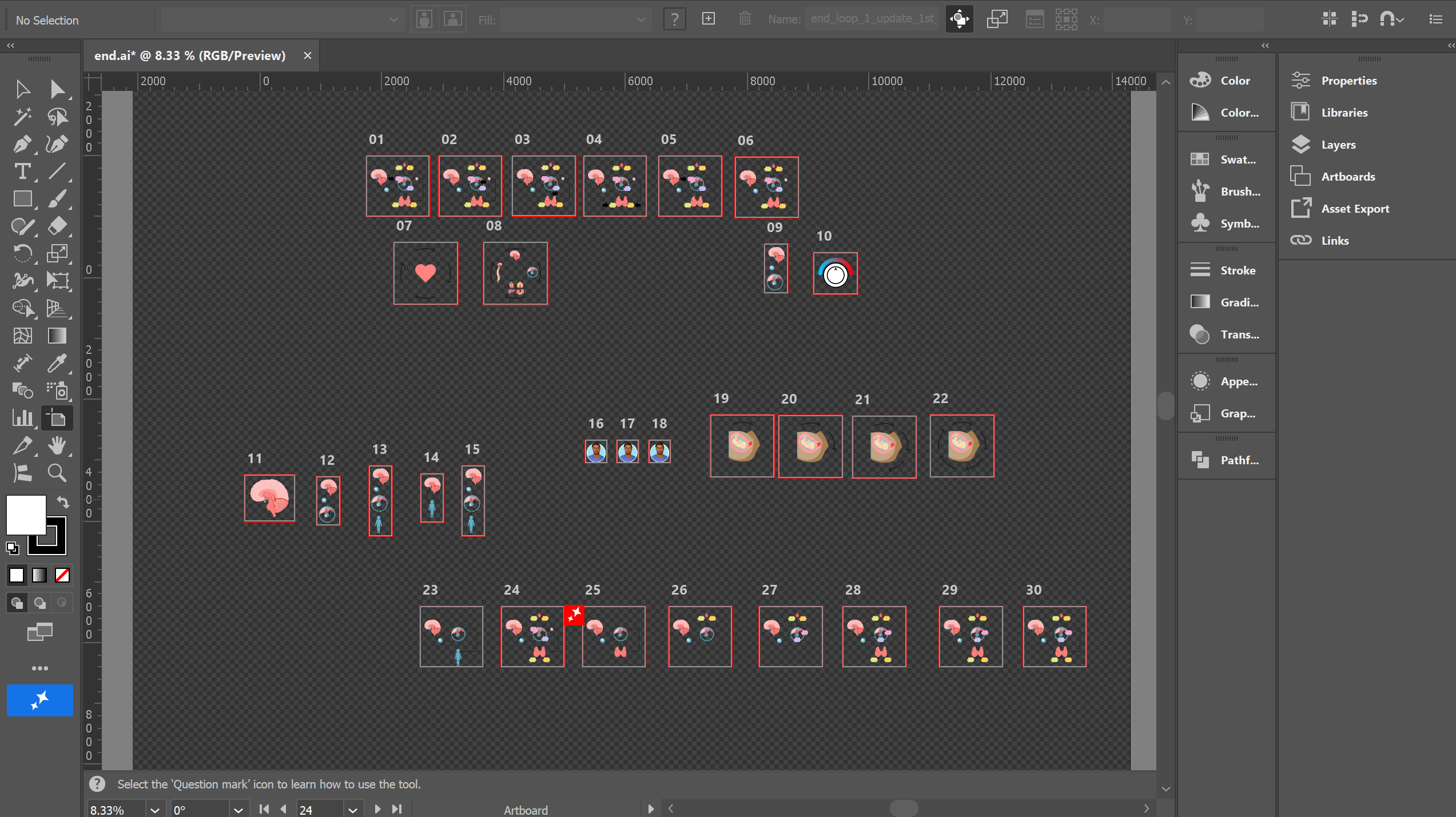
To communicate complex medical concepts without overwhelming learners, I used progressive disclosure across multiple motion graphic screens. Rather than presenting all the information at once, I divided illustrations into sequential screens that gradually introduced additional visual elements. Learners could navigate forward and backward through these screens, allowing them to review information at their own pace. I created the transitions directly in Unity, primarily using fade-in and fade-out animations to introduce new illustrations and supporting content. This approach maintained visual continuity while helping learners focus on individual parts of a larger process. The thyroid feedback loop is one example of how I used this technique to explain a complex relationship between different parts of the endocrine system.
- Establish the first part of the pathway.
1. Introduce
- Reveal additional relationships as learners advance.
2. Build
- Allow backward navigation to review earlier stages.
3. Revisit
The thyroid loop is revealed progressively, allowing learners to focus on each stage before viewing the complete process.
Scope:
This simulation used mostly fade transitions created in Unity. More complex animations in other projects sometimes involve Adobe Animate, but that was not required for this example.
4. Implementing Interactive Experiences in Unity
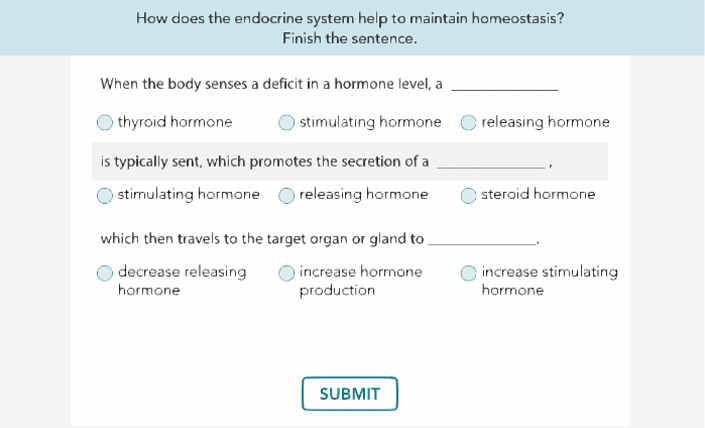
After preparing the illustrations, I build the assigned nodes and activities in Unity. I configure screen content, response elements, variables, hotspots, feedback states, and navigation behavior to match the script. I also update simulation text in JSON files using VS Code when text changes are needed. For example, the homeostasis knowledge check asks learners to complete statements about hormone regulation. Turning that content into an activity requires matching the response options to the correct states and verifying how Submit and Continue behave.
5. Testing & Design Documentation
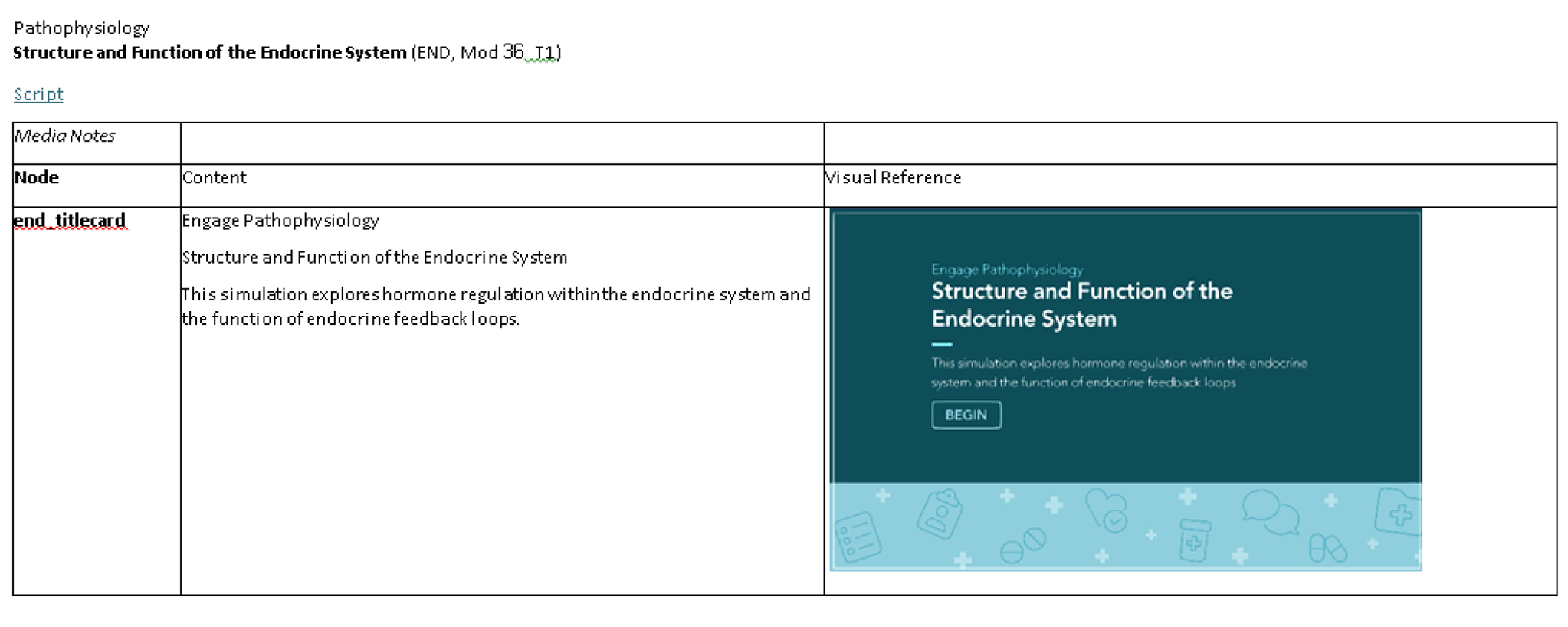
Once my screens and activities are built, I run through the experience to check the illustrations, text, fades, button behavior, and progression before handing the work off for broader testing. After the initial build and self-testing, I create media notes for the rest of the production team. These document each node’s visual appearance alongside the full on-screen text, giving collaborators a shared reference for how the simulation is intended to look.
6. Collaboration & Iterative Improvements
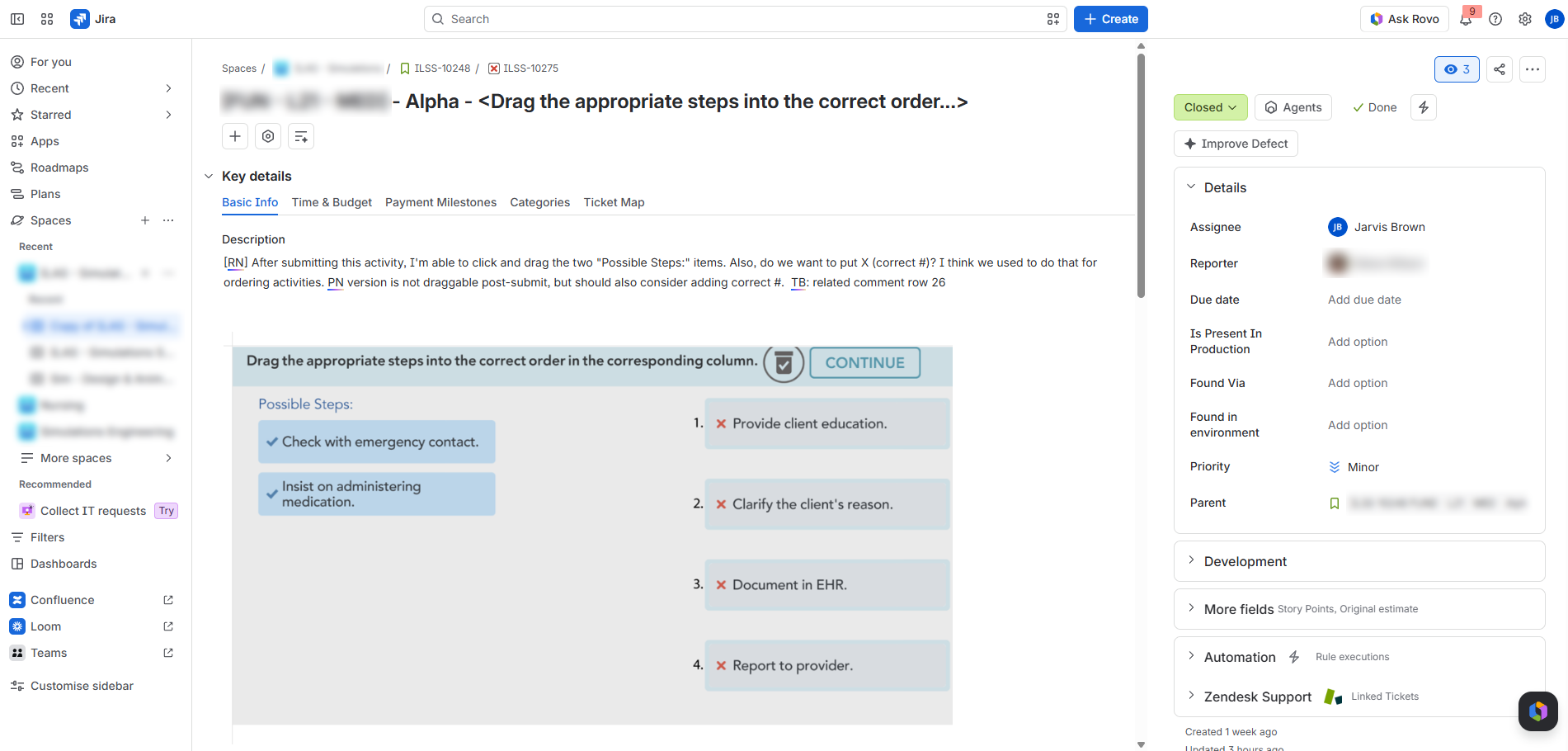
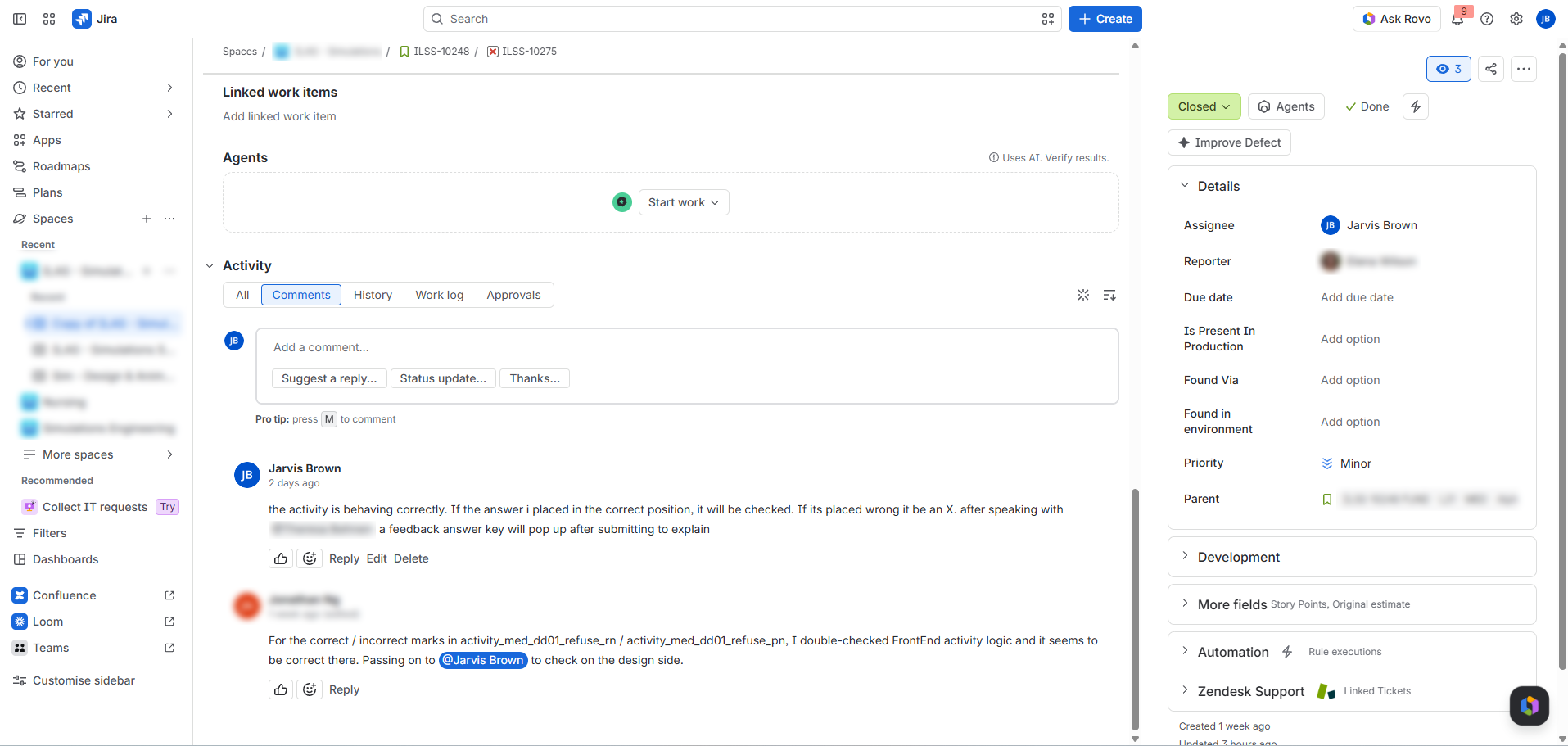
The simulation moves through an iterative, cross-functional review process. QA tests the build, and a broader internal group reviews it before milestone discussions. Feedback is turned into Jira tickets, which are assigned to the relevant team members. I address the tickets connected to my work, such as visual, content, animation, or interaction issues. Some tickets require changes from more than one discipline; after completing my portion, I hand the ticket to the next contributor. Updated work goes to the assembly team for a new build, then returns to QA for verification and regression checks where applicable. The product then receives another round of stakeholder review, issue tracking, fixes, assembly, and QA before release. This feedback-and-revision cycle reflects the iterative practices used in Agile product development.
- QA and internal stakeholders evaluate the build.
Review
- Jira tickets organize issues, ownership, and cross-team handoffs.
Track & fix
- Assembly produces an updated build; QA checks the fixes.
Rebuild & verify
Process Documentation & Reusable Components
Separately from this simulation, I completed a manager-assigned OKR to document our MGFX and design production workflow for other artists to consult as needed. The reference covers setting up Unity projects, producing assets, configuring interactive activities, working with timelines, and testing. I also maintain reusable Unity screen and activity packages that I can adapt across simulations. Together, these practices support knowledge sharing and more consistent implementation within an established UI system.
Outcome & Reflection
The completed Structure and Function of the Endocrine System simulation was released as part of Ascend Learning's Engage Pathophysiology collection. The simulation includes 53 motion graphics screens and four interactive activities designed to help nursing students understand complex endocrine concepts through visual explanations and hands-on learning.
The interactive activities include a hotspot activity where learners select different body regions to explore additional information, a drag-and-drop sequencing activity, and two sentence-completion activities where learners select the correct answer from three options. I contributed to the visual design, animation, and Unity implementation of these experiences while maintaining consistency with the established Engage design system.
Throughout development, I collaborated with writers, Learning Design, and QA to address feedback, refine interactions, and prepare the simulation for release. This project demonstrates my ability to combine visual design, motion, and technical implementation while contributing to a larger, cross-functional product development process.