Overview
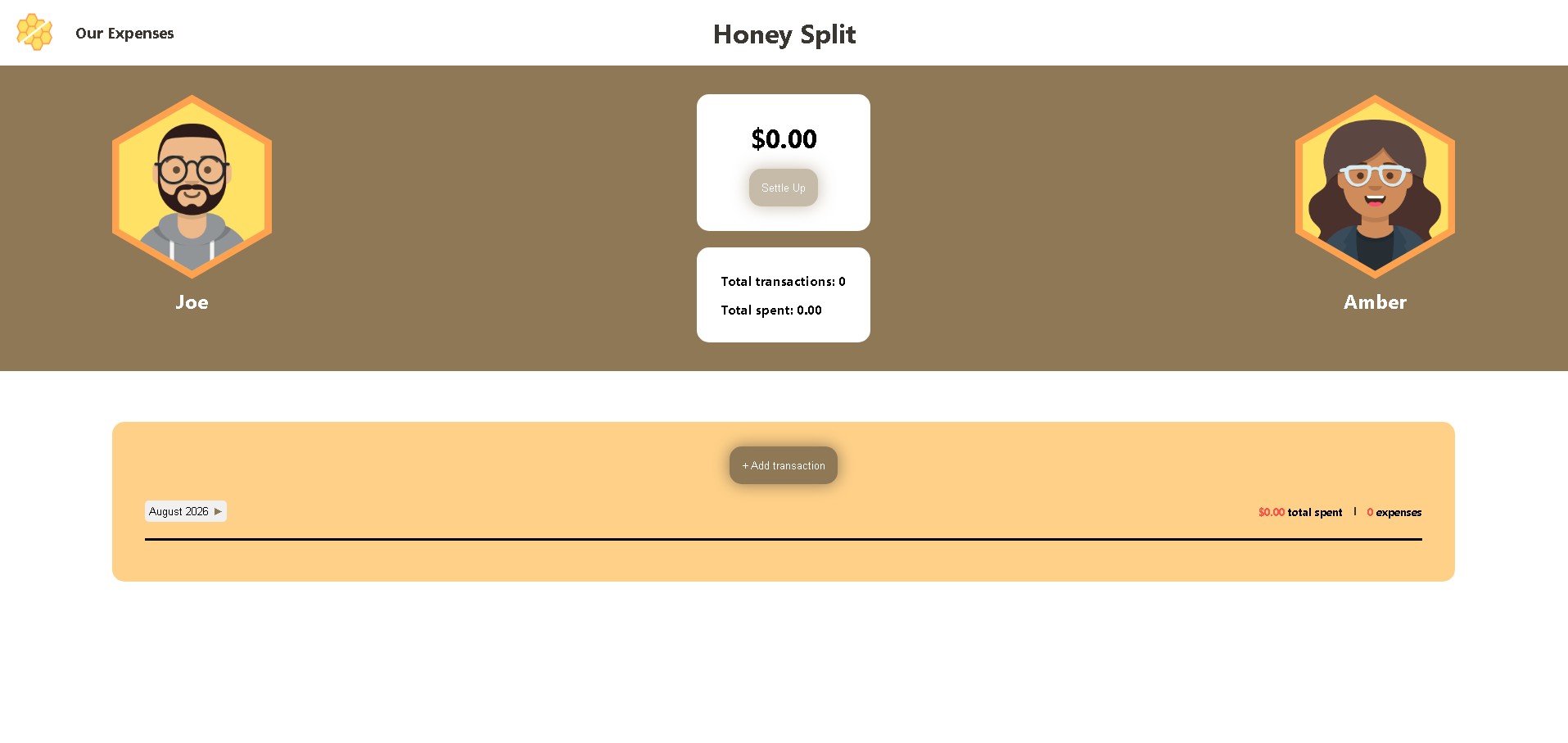
Honey Split is an expense-tracking app I designed and developed to solve a problem in my own relationship: keeping track of who paid for what throughout the month without the mental math or awkward conversations about money.
My partner and I use Honey Split to record shared expenses, track monthly spending, and see who owes whom. At the end of each month, we can settle up without having to manually calculate our individual contributions.
Role
UI/UX Designer
Frontend Developer
Tools
Figma / HTML / CSS / JavaScript / Netlify
Challenge
Most expense-splitting apps we tried were cluttered with ads that made adding a simple expense take longer than it should. Paying to remove them felt like paying to get rid of a known irritation, rather than paying for real value. I wanted something clean and free: an app my partner and I could open and use without friction.
Solution
Honey Split keeps things simple. Log an expense, and the app tracks who owes whom automatically — no manual math. When you're ready, settle up in one tap.
- Add an expense to any month
- View all expenses, filterable by month and year
- See running totals — total spent and total transactions
- Settle up once all expenses are accounted for
Low Fidelity
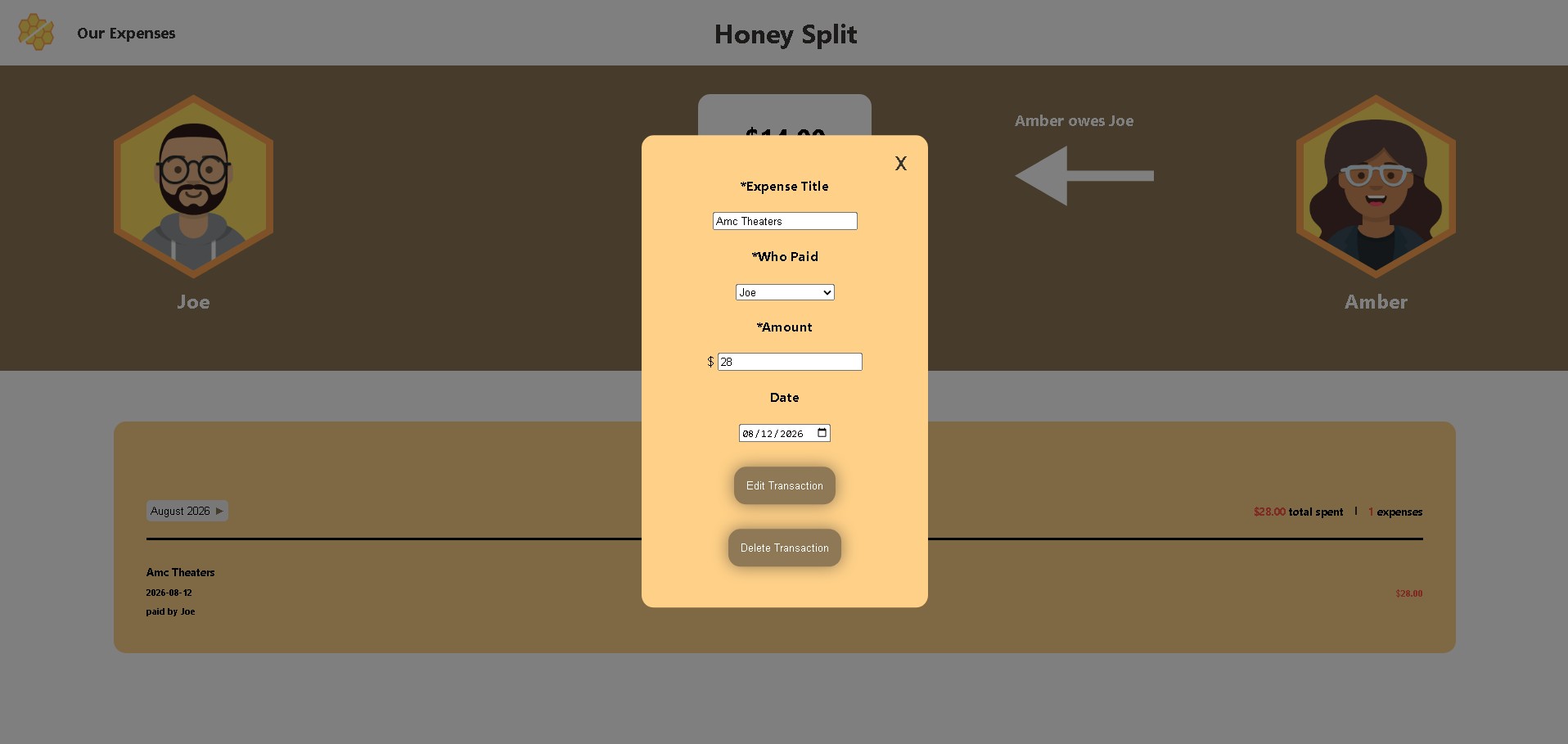
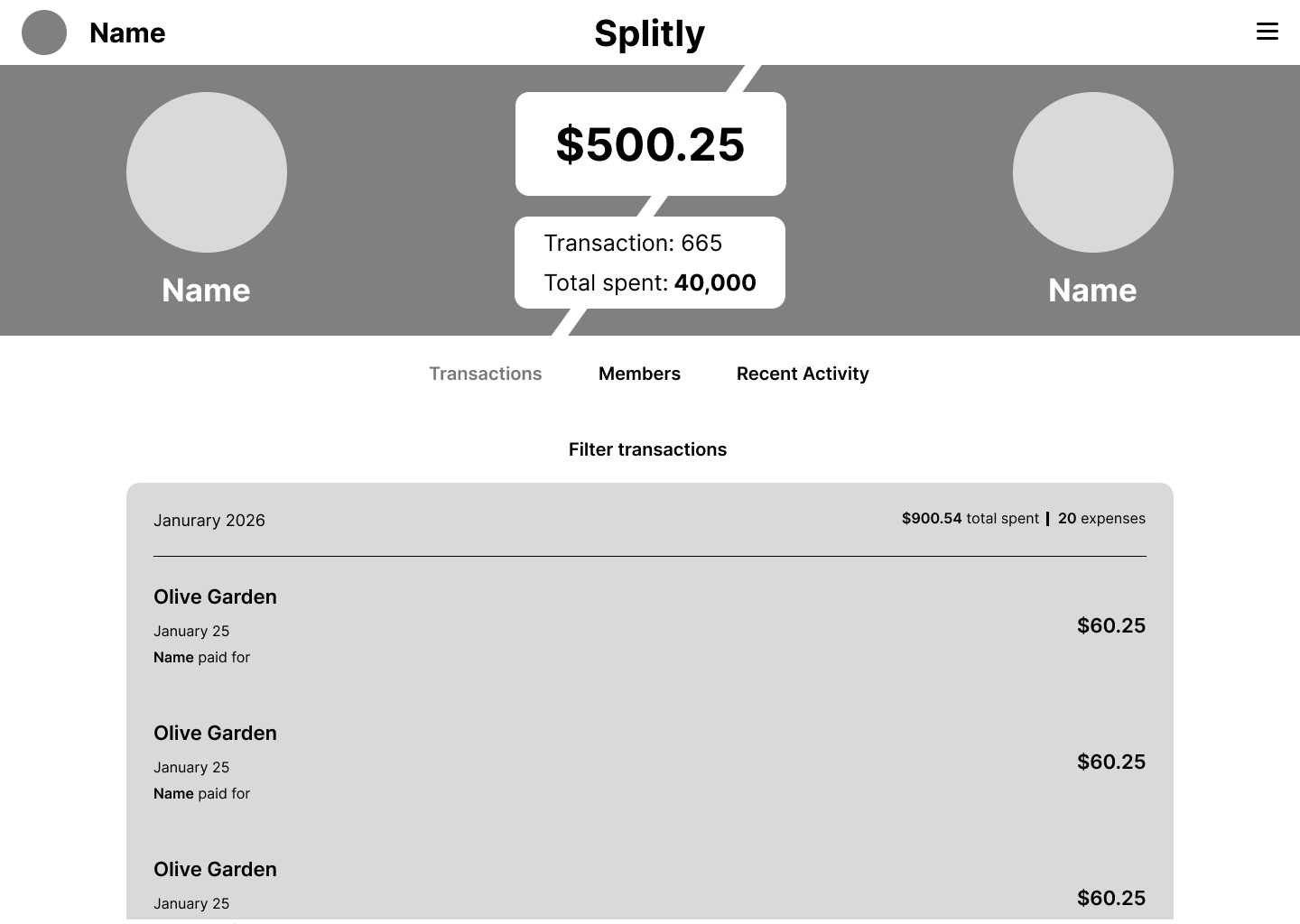
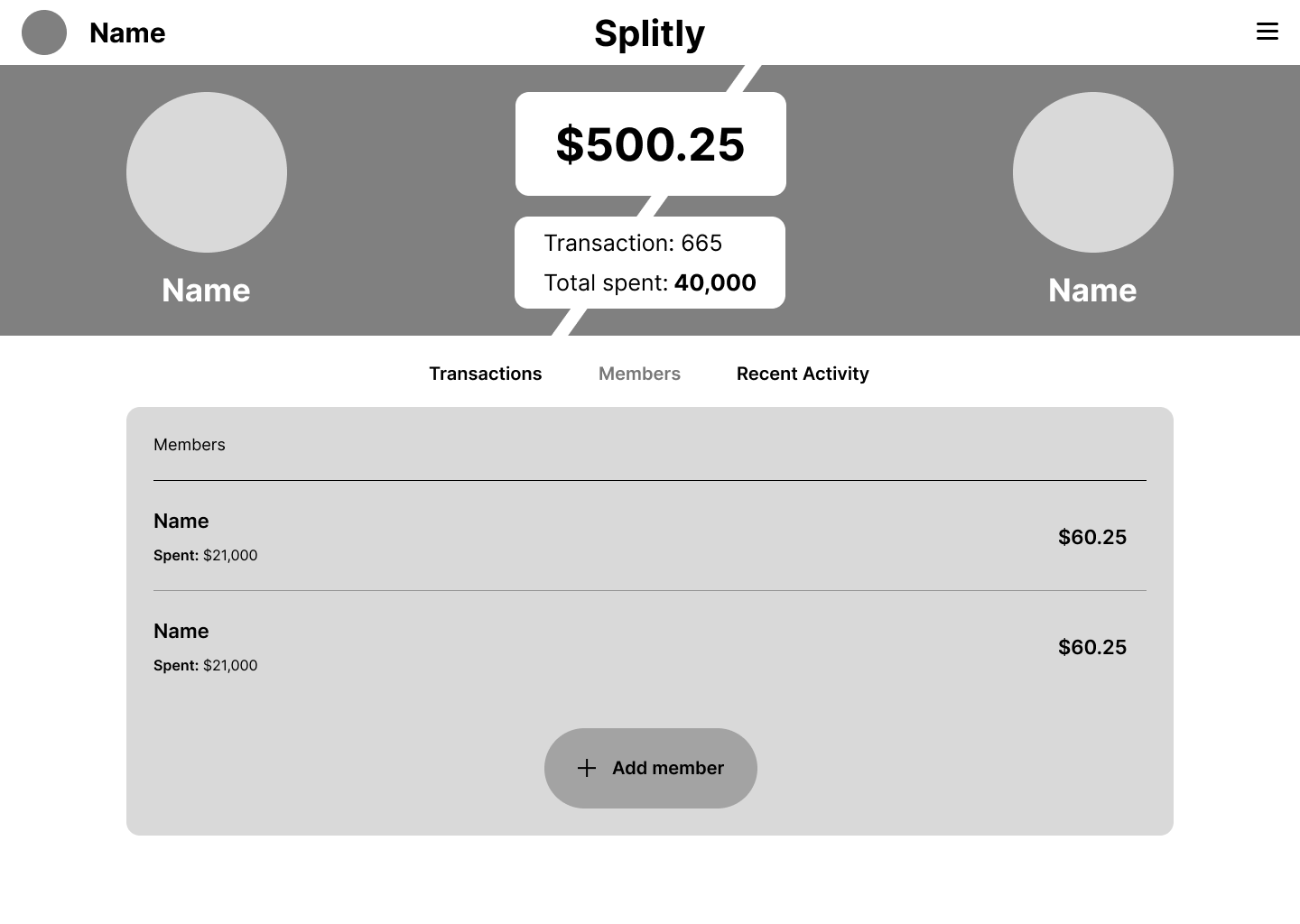
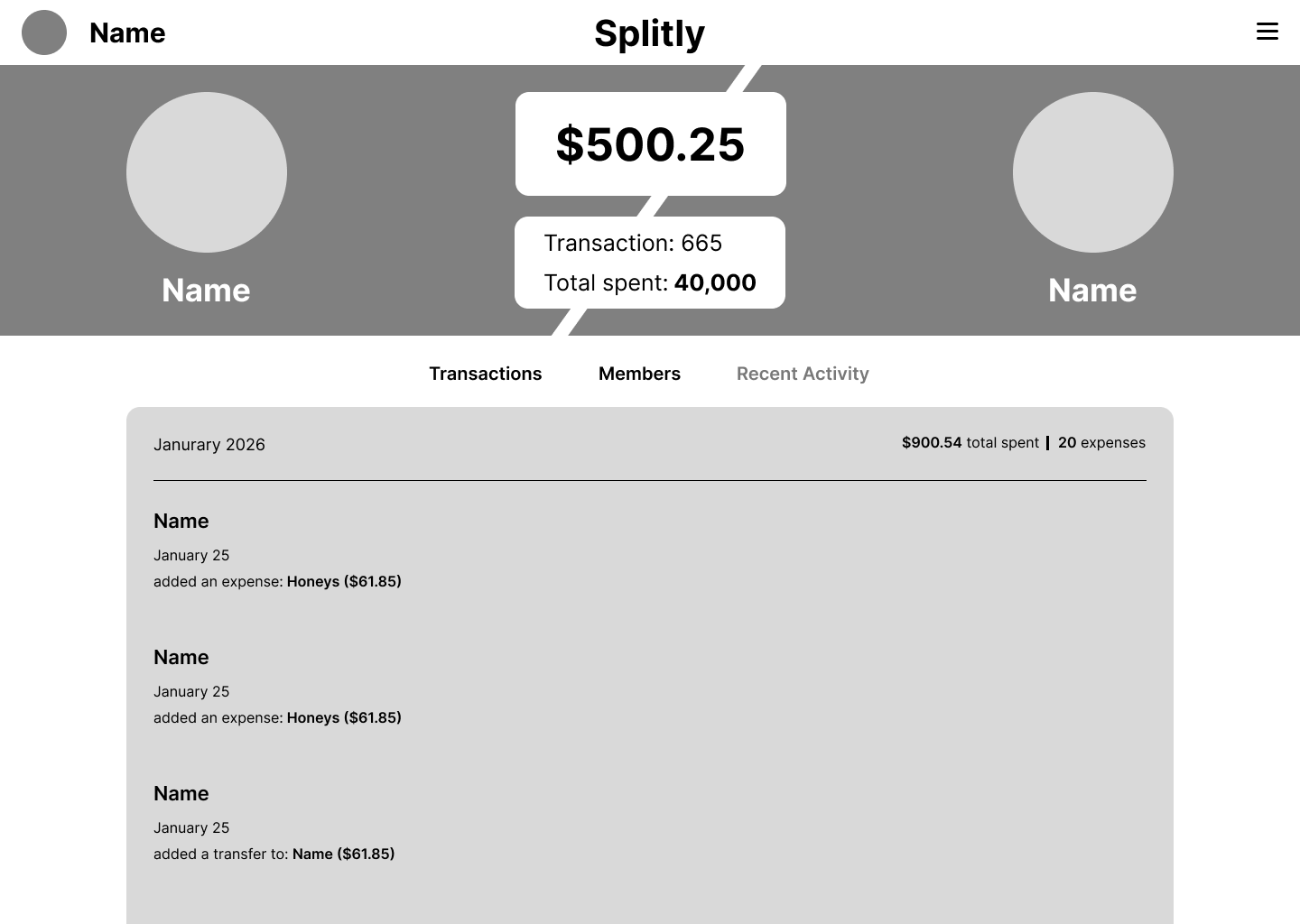
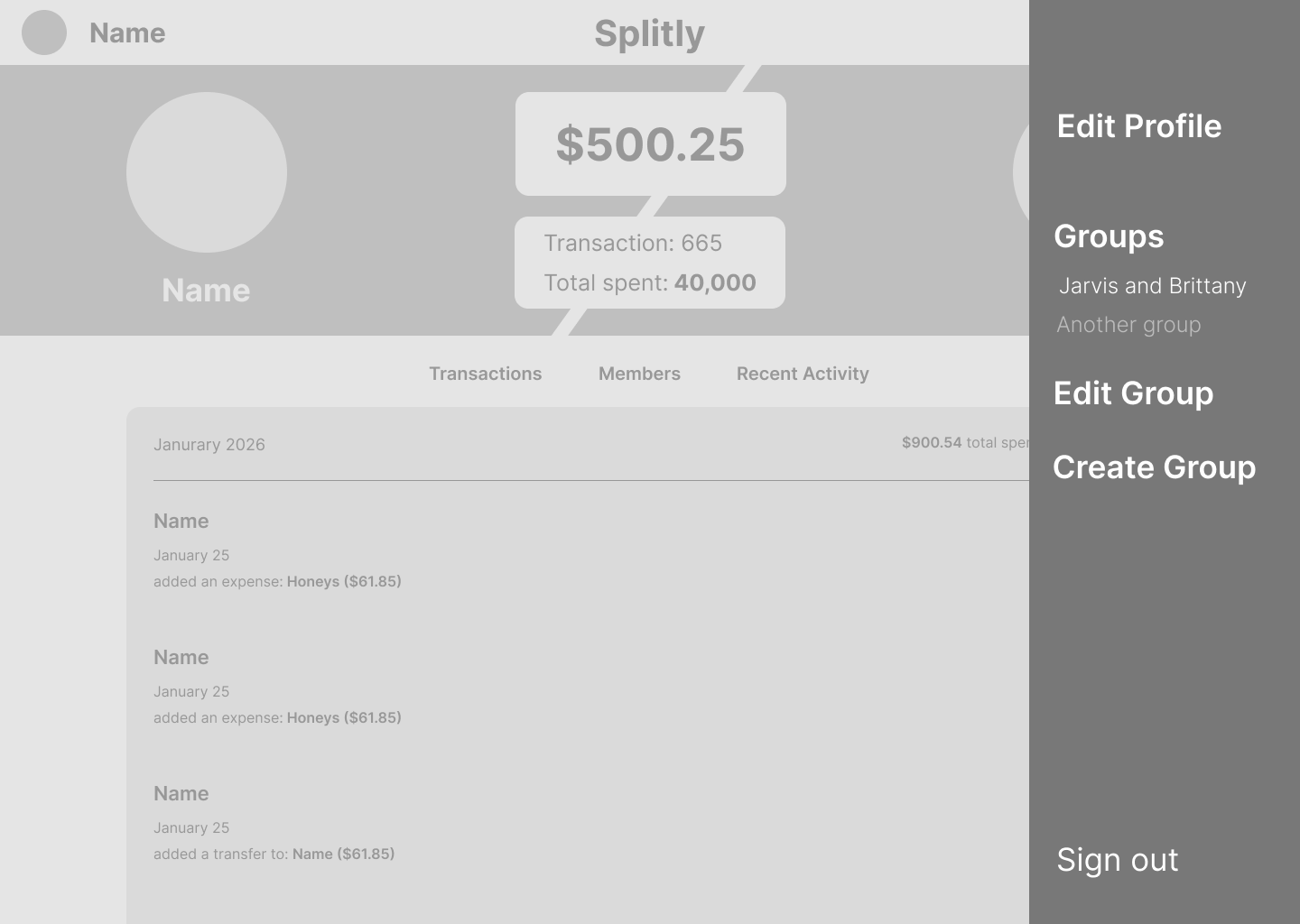
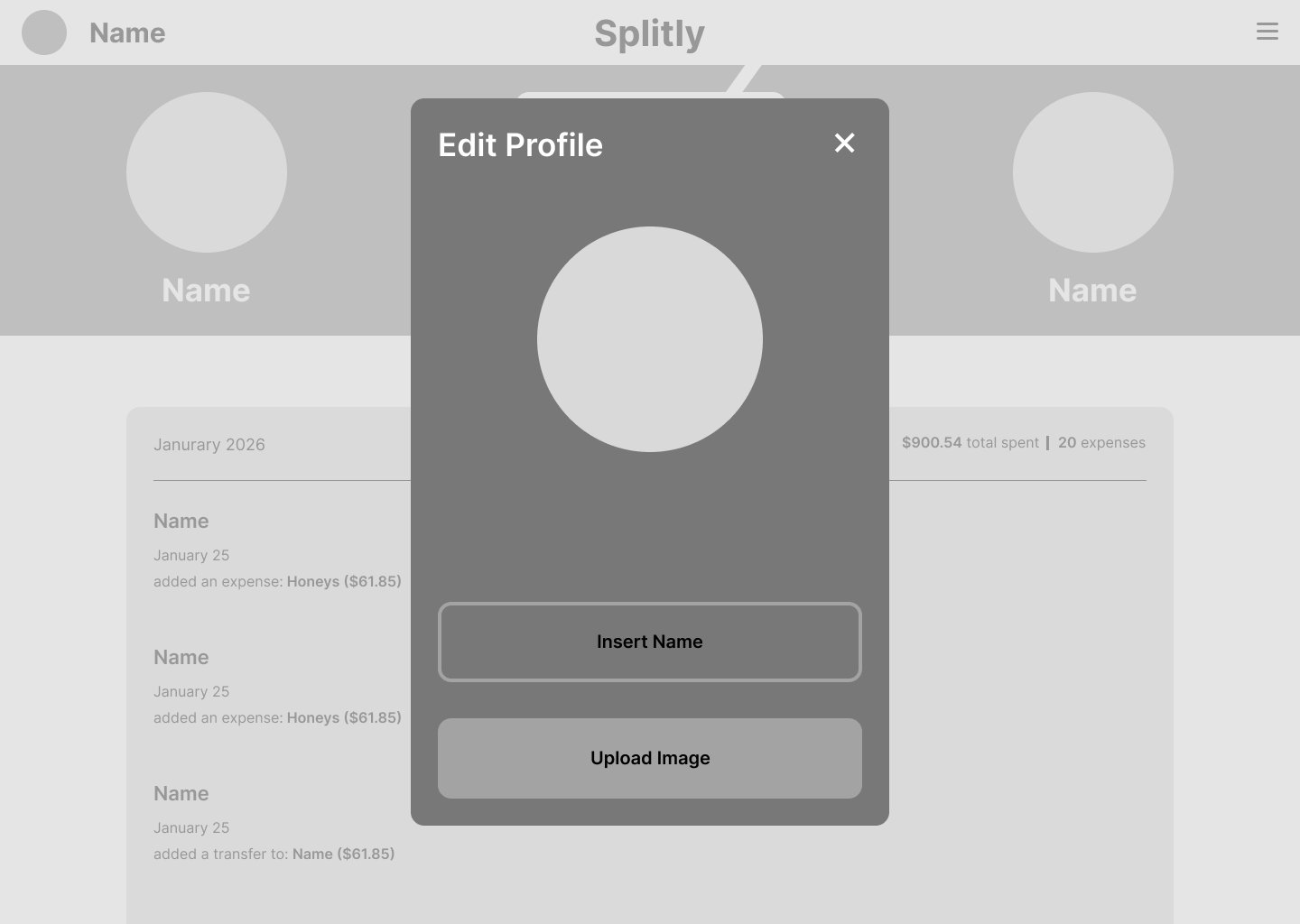
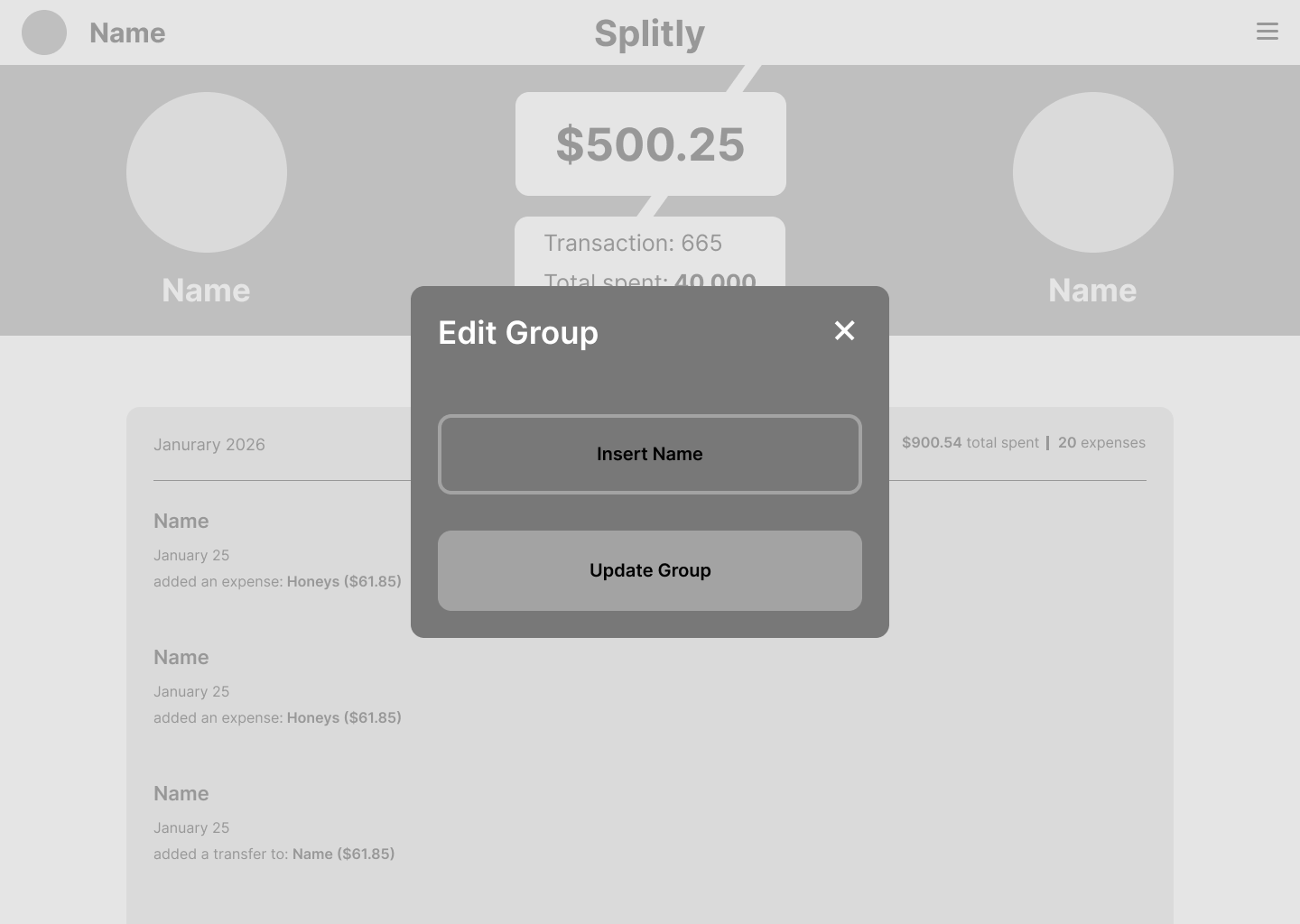
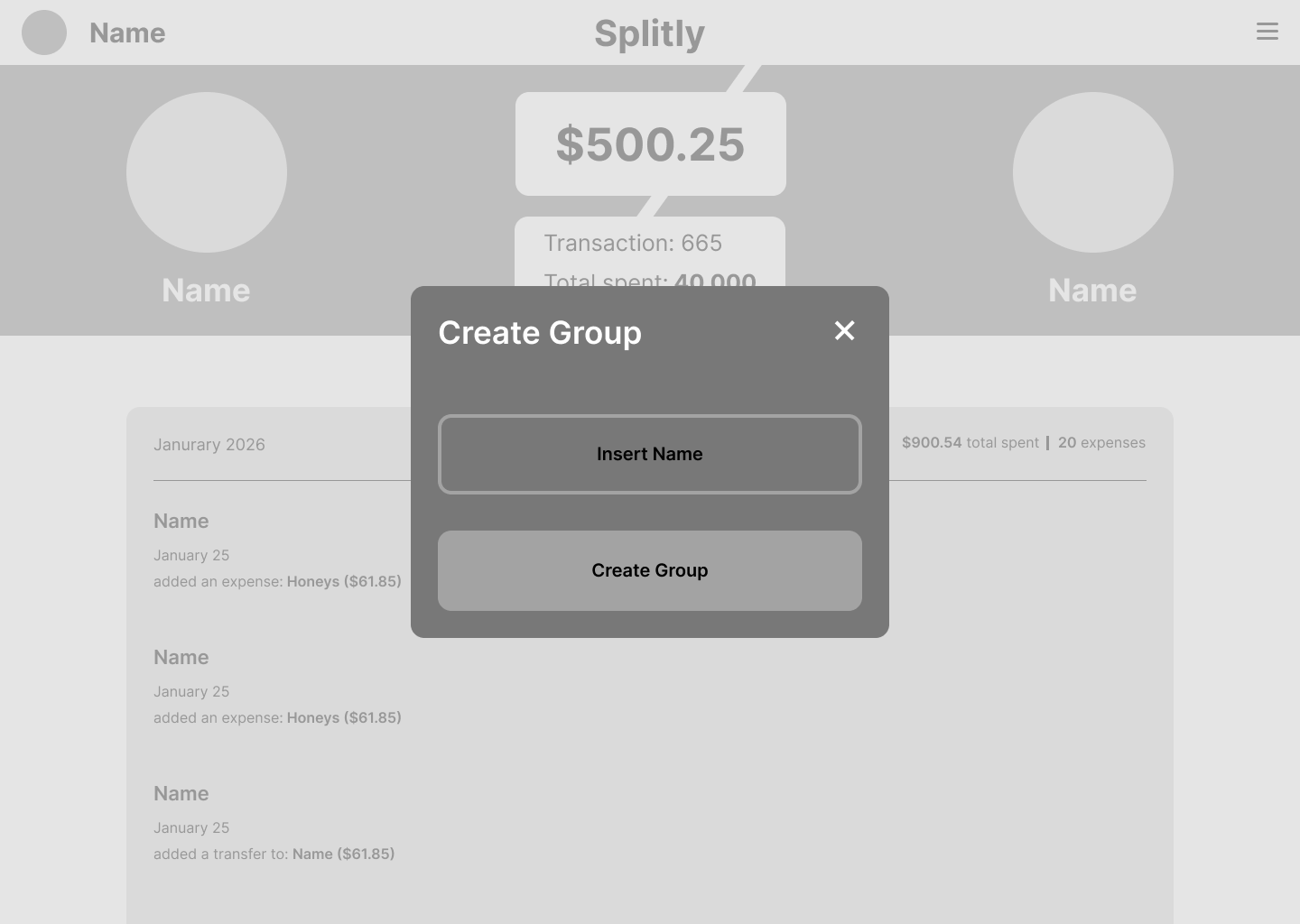
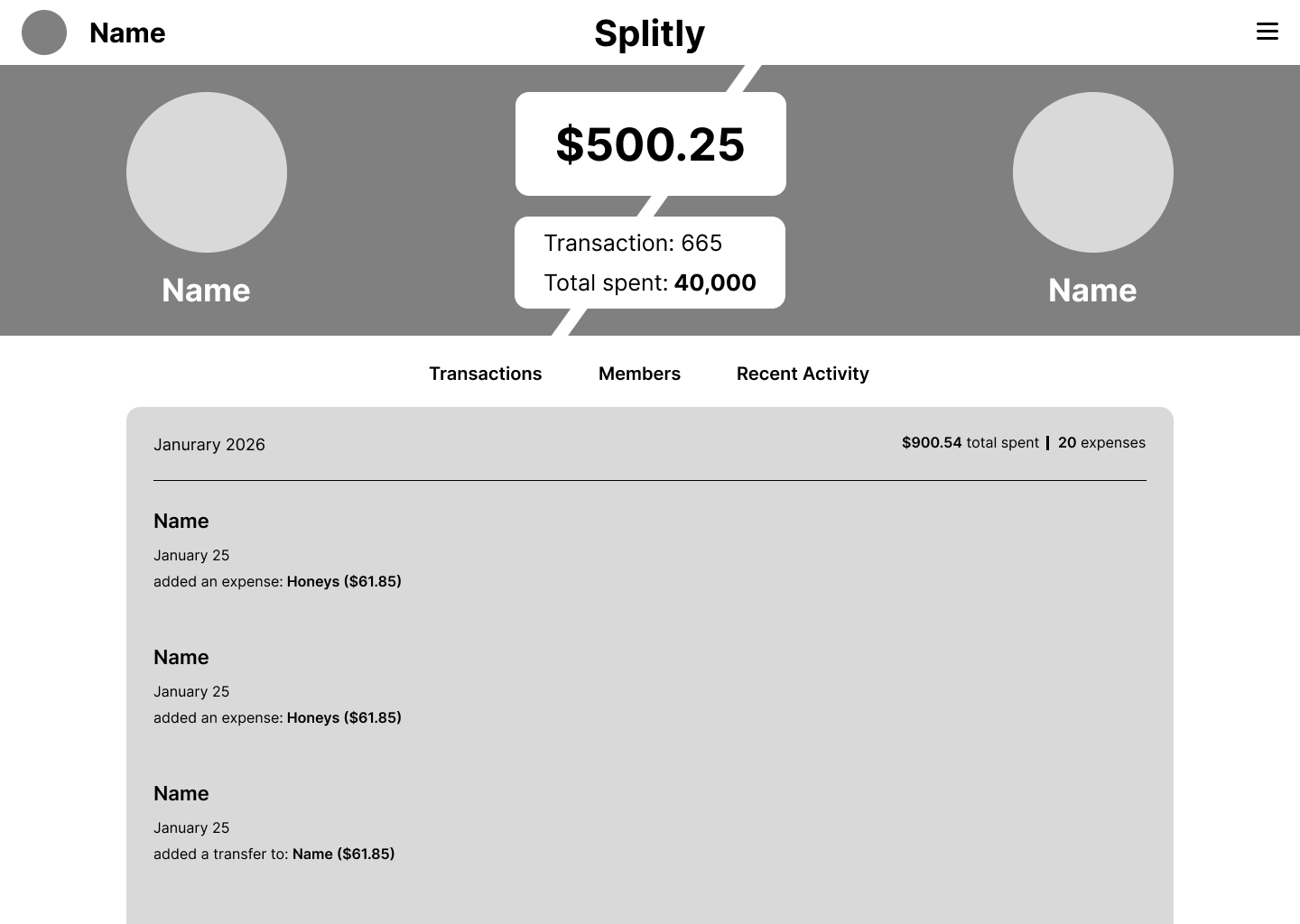
These early wireframes explored group expenses, multiple members, and transaction filtering. As I moved into development, I scoped v1 down to what mattered most for how my partner and I actually use it: two people and one shared expense list. I cut the rest for a future version.
Designs
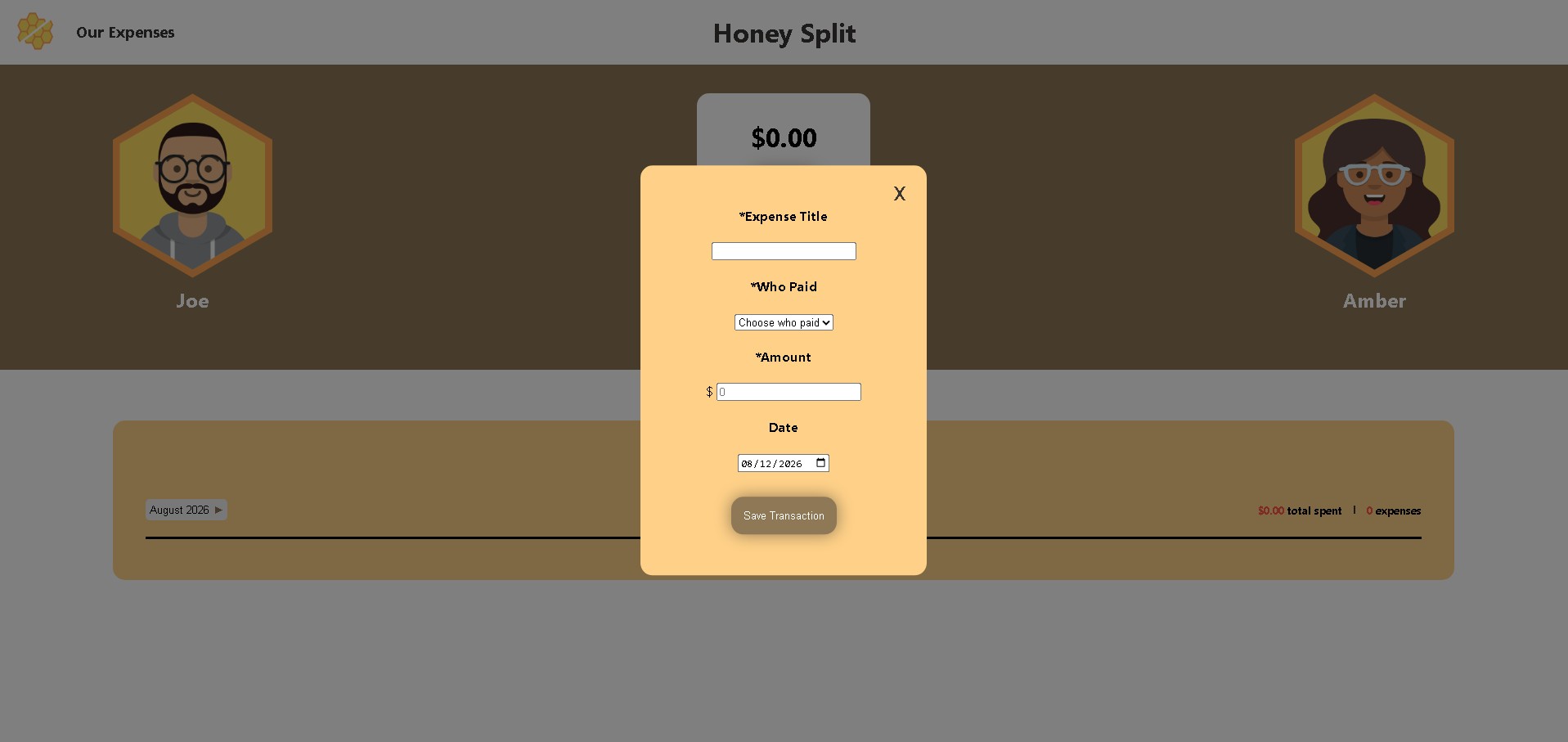
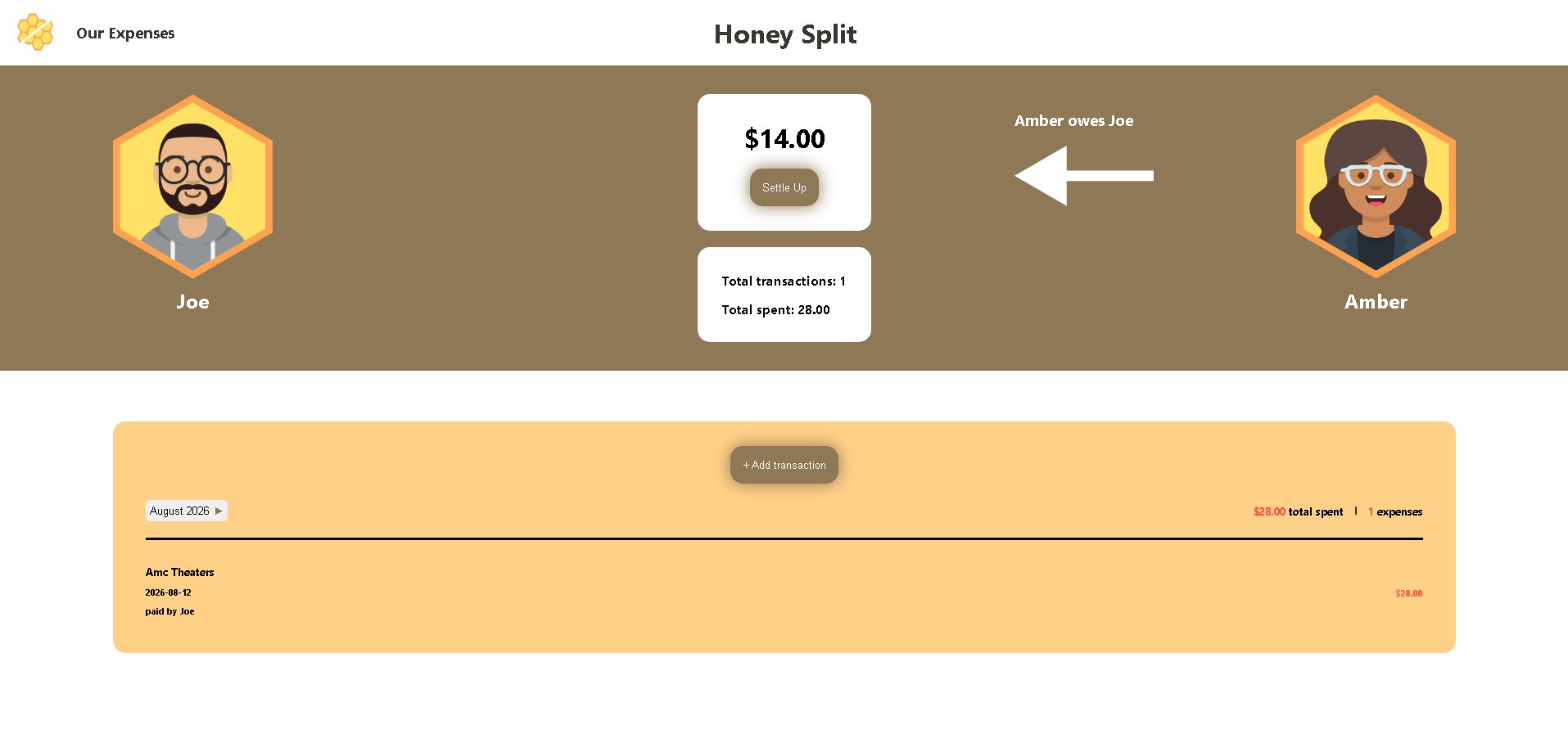
When designing Honey Split, I wanted to create an interface that felt simple, approachable, and easy to navigate. I focused on keeping the most important information, including the current balance, monthly spending, and transaction history, easy to find so users could quickly understand their shared expenses.
For the visual design, I chose a honey-inspired color palette with warm yellows, oranges, and browns to give the app a more personal and inviting feel than a traditional finance app. I kept the layout straightforward, using visual hierarchy to emphasize important information while minimizing unnecessary distractions.
Colors
#3a3732
#8e7856
#ffd188
#ffe2b3
#ffa250
#ffe165
#ff5547
#ffffff
Illustration
Feedback
Early versions of Honey Split used preset names for the two users. After sharing the app, I received feedback that the fixed names made the experience feel too specific to someone else rather than something the user could make their own. I changed the interface to use neutral partner labels instead, with the goal of adding customizable names and avatars in a future version.
High Fidelity
As I moved from wireframes into high-fidelity designs, the app's identity evolved alongside its functionality. Originally named Splitly, I eventually renamed it Honey Split and introduced a honeycomb-inspired visual direction.
Because I was creating the app for my partner and me, I wanted its identity to reflect something personal rather than feel like a traditional financial tool. The honey theme represents connection and working together, which felt appropriate for an app designed to help couples manage shared expenses.
Build Challenges
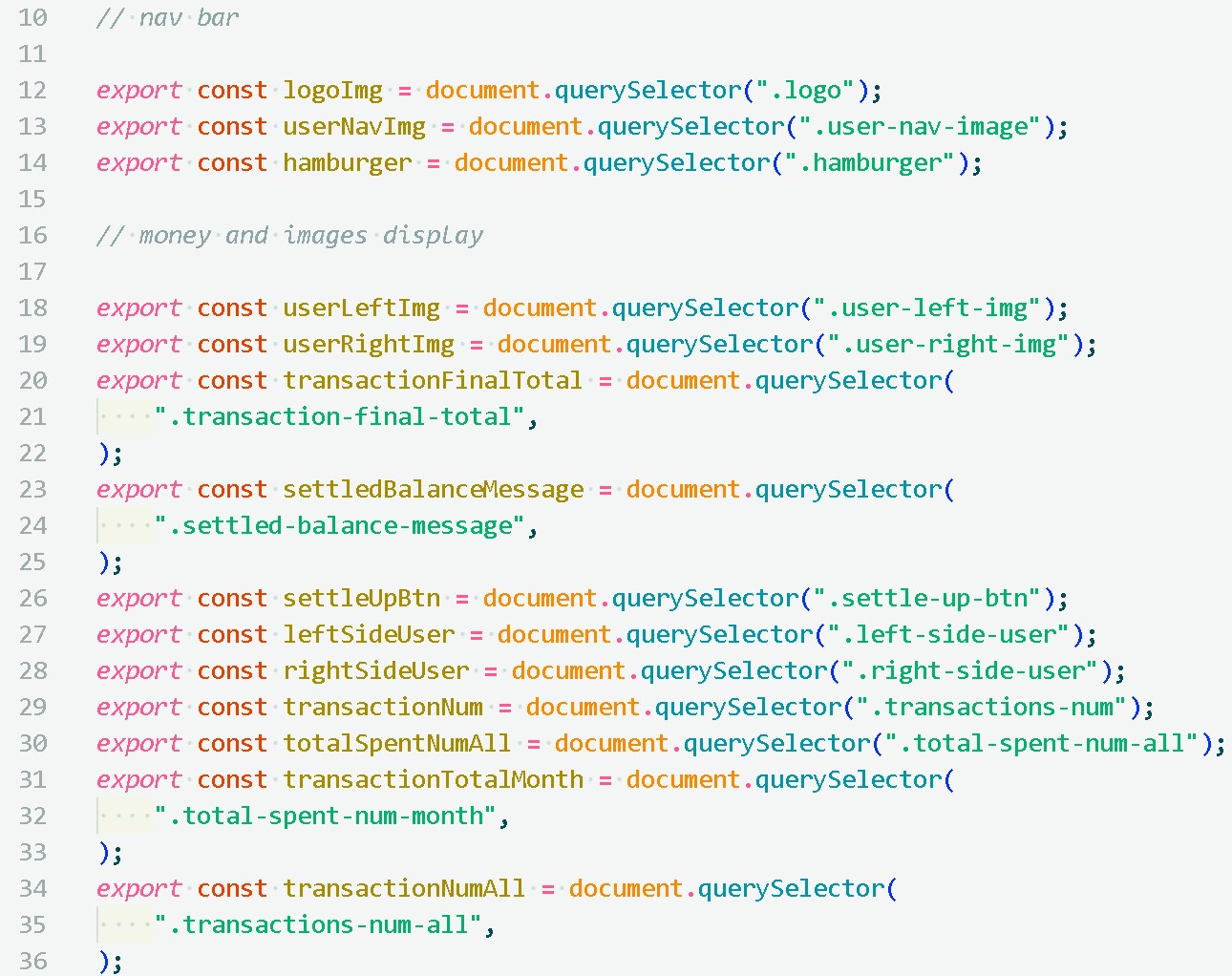
One of the biggest challenges I encountered while developing Honey Split was managing the JavaScript as the application became more complex. Implementing features such as adding, editing, and deleting transactions required me to think carefully about how different parts of the application worked together.
Organizing expenses by month and calculating monthly totals presented another challenge. I worked through these problems by breaking the functionality into smaller pieces, testing my logic, and refining how the application handled expense data. This process strengthened my understanding of JavaScript and taught me the importance of keeping code organized and manageable as a project grows.
What's Next
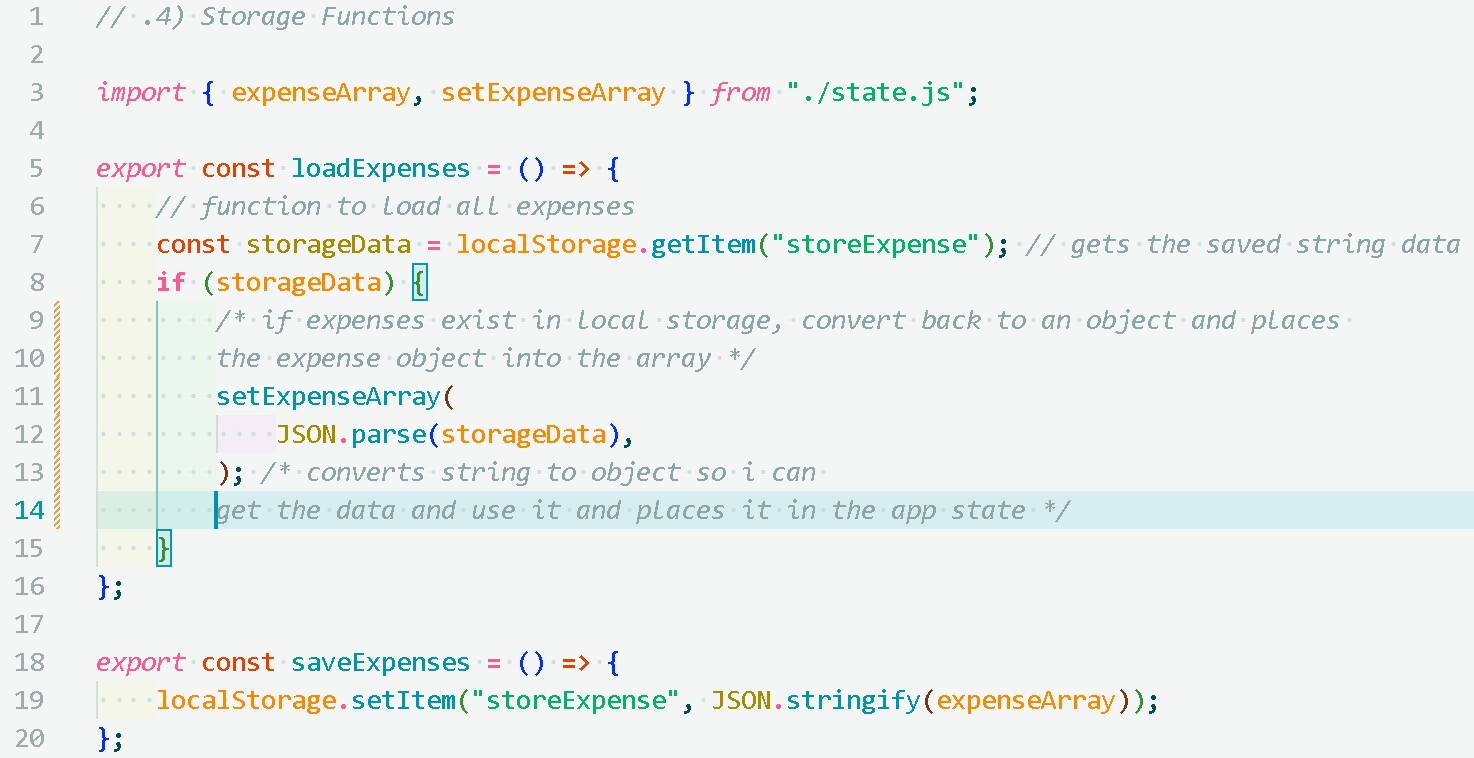
Version 1 focused on the core loop: log an expense, see who owes whom, settle up. Everything below got cut from v1 so I could ship something my partner and I could actually use, but they're the next things I want to tackle, starting with moving data to Firebase so it's not stuck on one device.
- Sign in Form for each user.
- Adding customizable avatars.
- Adding different facial expressions according to the amount a user owes the other.
- Moving all the saved data from local storage to Firebase so data can be accessed on multiple devices.
- Adding a more robust settlement and history tracking system.
- A reminder when the previous month's expenses haven't been settled.
Outcome
Version 1 delivered the core experience I set out to build: two people can log shared expenses, review monthly spending, see the current balance, and settle up from one interface. Building Honey Split also helped me better understand how design decisions affect development scope and technical complexity, especially when deciding what should be included in a first release.